Archive

Posts Tagged ‘living_as_a_creative’

‘Unleashing’ Creativity

January 27th, 2012 No comments

I never did anything worth doing by accident; nor did any of my inventions come by accident; they came by work.
Thomas Alva Edison

I got an interesting comment today:

pls provide tips for unleashing creativity

It has always been my position in this blog that ideas ‘just come’ when you spend time working on a topic, and that the main problem is not getting ideas but getting good ideas that you realize. Organizing Creativity is all about that and as succinctly put in this poster, I believe it is not only possible but needed to achieve great works.

But what if you do not get ideas automatically? A colleague of mine once told me that he thinks that great artists recognize when something either is interesting from an artistic point of view or has the potential to be interesting. A musician who is inspired by some sounds in his environment for a great tune or a photographer who suddenly stops because he sees a great motif would be perfect examples. These people can benefit hugely by organizing their finds. But if you do not belong to these people — what do you do then?

Frankly, good question, I have no idea. I have included creativity techniques. You find them in the HTML version of the first book, or in its PDF, and they are also in the draft version of the second book. But whereas I think that these ‘techniques’ can give you ‘an excuse’ to spend time ‘just thinking’ about a problem, I also think that they are totally useless unless you really, really know the subject.

Heinlein coined the acronym TANSTAAFL (There Ain’t No Such Thing As A Free Lunch). This is also true for creativity. You can’t imagine it as a wild dog that you simply ‘unleash’ and that will do the work for you. You have to work yourself first, to get the materials to work with, and afterwards, to implement the ideas you had.

Draft Version of Organizing Creativity 2nd Edition

January 11th, 2012 No comments

Hey everyone,

I’m still working on the second edition of Organizing Creativity.

It takes longer than expected (it is a spare time project), so, I’m putting the current draft version online.

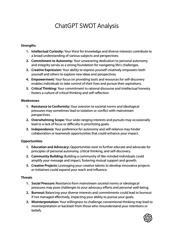
sample_page_oc2_0

It contains the content of the wiki I had here, so I have removed it.

Like I said, it’s a rough draft — some parts are (almost) finished, others are missing in part or completely — but to make the best of the longer work process, posting it online gives me the opportunity to ask for feedback. This is your chance to influence the final version. What do you think of the content and/or the layout? Any suggestions for improvement? I’d like to hear them. Drop me a line at danwessel@organizingcreativity.com or write a comment.

All the best

Daniel

Task Management with OmniFocus

January 8th, 2012 No comments

“Sure, I had tried out the Hipster PDA (verdict: too hipster), read up on the Moleskines (verdict: too much pressure to be the next Hemingway and Picasso), and even thought about Getting Things Done, but I just wasn’t up to the task.”
Bill Westerman on http://www.utilware.com/gsd3.html

omni_focus_iconI’ve already written a short entry on OmniFocus when I started to try it out end of November last year. After almost two months of experience with the program, I really like it — and what’s important, I think it helps me do my work more effectively.

Here’s a short overview of my workflow, somewhat inspired by the excellent series at asianefficiency.com:

Short work description and programs/apps used

I am a scientist. Most of my work is in the office behind a computer, so I can use the desktop version of OmniFocus. However, I also love to walk — for good reasons like health, time for ideas, fresh air to clear the head — and I spend about 60 to 90 minutes each day walking (30 to 40 minutes for each way to and from the office, some walking during the lunch break). And I love to use that time – including for task management and actually doing the task. Given that I can type while walking without walking into lampposts, I use the time to go through my day, plan the next actions, and do as many as I can (you can do a lot with mobile eMail). So I use the OmniFocus App as well — and far more frequently.

Adapting and Using the OmniFocus App

You can and should configure the App in many ways, and given that the desktop version mirrors this structure I focus on the mobile version here.

omni_focus_overview The overview of the App is reordered to have the most frequently used actions on top (easier to reach when holding the device in the right hand and typing with the right thumb).

  • Inbox — if I quickly need to capture a task without having the time to sort it into the correct project.
  • Projects — all projects (see below)
  • Flagged — you can flag action selectively. I use this feature extensively to decide which actions I want to do on that day (and only those actions I want to do on that day!). See below.
  • Forecast — beautiful view of the tasks that are due today (according to due dates, not according to flag status).
  • Contexts — Tasks have a context, usually used to describe the places or circumstances you need for the task, e.g., some tasks can only be done at home (e.g., repair the roof), others require specific people, etc. See below.
  • Map — If you have set locations to your tasks. I do not use the map frequently enough for it to be of use to me.
  • Search — like the name says.
omni_focus_rituals

Rituals (idea from asianefficiency.com) is the first project I open each day on my way to work. It has six repeating tasks that reappear each day. Going through these rituals helps me to prepare for the day.

As you can see, I review my annual goals (because otherwise I forget them), my monthly goals (work and private — monthly because this is the largest time horizon I can sustain), review my calendar for tasks that absolutely have to be done today (usually meetings or other time critical stuff), review the waiting for context (all tasks with the context currently set to “waiting” are listed there, useful to remind others of their tasks ;-) ), process the Inbox (e.g., assign projects and contexts to these tasks) and finally — and most importantly — pick the most important task for the day.

omni_focus_flagged

I flag any actions that I want to do on the given day — and only those actions I think I can actually do. Reason being I think if you have all your tasks visible you have to do, it overwhelms you and you are prone to do nothing. Thus I plan each morning after reviewing the information in “Rituals” (see above) what I can actually do on that day. If I finish early, great, if not, I plan more carefully the next day.

Of course, there are other pressing tasks that I would love to do that day but really cannot. So I have a second layer of tasks that are critical. I use a context (see blow) called “Do (soon)”. Each task that I should do soon gets this context, in comparison to the normally used context “Do” (for a task that is not so time critical). Point being, I can quickly see which tasks are also pressing, yet I only see the tasks I have to do today.

Note: I rarely use “Due” dates, because for fixed appointments I use the calendar (which fulfills a different purpose than a task manager) and which data OmniFocus also shows (see “Forecast” below). Other tasks are often time criticalbut not that critical to do on a specific day, so due dates do not make that much sense for me.

OmniFocus shows you the Task and the Project (smaller in gray) below the task. This is usually all you need. You can put in more information, including longer text notes, images and sound recordings in the task entry.

omni_focus_projects

Projects gives an overview of all the tasks, sorted and grouped into projects or project folders. They can be sequential (first task in project has to be carried out before second task, etc.), parallel, or single actions.I use two folders — private and work (see below), a sequential project called “Rituals” (based on asianefficiency.com), and three single actions projects (annual goals, private monthly goals, work monthly goals).

OmniFocus is great in giving you exactly the information you need, e.g., the amount of projects, how many are overdue or due soon, and it allows you a quick view on all remaining actions.

Note that “Annual Goals”, “Monthly Goals (work)”, and “Monthly Goals (private)” are not tasks per se that are integrated into “Work” or “Private”. They are high-level reminders. Whereas they get checked when they are completed, it is the tasks in “Private” and “Work” that I refer to in doing them. The reason for having them as single “tasks” in an extra project folder is that I have a lot of private and work projects, but not all are goals for the given month or year. That is a conscious decision where a simple review of the “Private” and “Work” folder would overwhelm me each day.

omni_focus_private

I have split the projects in two general categories — private is the first one (I’ve covered some text because — well, it is private).

There is “Single Actions” for all the miscellaneous stuff that does not warrant an own project, some projects that are important to me, and a “Private Someday/Maybe” section for all the future stuff I would like to do. I strongly recommend keeping such a list — it keeps the ‘more distant wishes’ away from the current todo’s …

omni_focus_work The equivalent for the work projects. As with the private projects, one “Single Actions” project for miscellaneous stuff that does not warrant an own project, some projects (including teaching and publications, sorry for the German-English mix here), and of course a someday maybe folder (not visible).
omni_focus_contexts I use only a few contexts, as most of the work I do couldbe done anywhere.

  • Do (soon) — For tasks that are time critical yet not fixed to a given date.
  • Do — All other tasks I simply have to do, no matter where.
  • Errands — The only location specific task, or rather, the context that specifies that it is neither the office (sorted under work projects) or (most likely) home (sorted under private projects).
  • Waiting — Important context, each task where I have to rely on/have delegated the task to someone else gets this context. It’s no longer a “Do” or “Do (soon)” context because I cannot do anything but remember the person to do this task. I check this context each day during the “Rituals” (see above).
  • Annual Goals, Monthly Goals, and Rituals have these contexts to prevent interfering with “Do” or “Do (soon)” tasks.
  • I do not useoffice“, “home“, or “people” contexts, because most of my work tasks I can do anyway, I look at my private projects usually at home (or on my way home), and I love eMail communication so there is no need for a people context because I can reach them anytime and anywhere.
omni_focus_forecast Forecast is a very interesting function that brilliantly displays a lot of information.

  • On top it shows you the overdue tasks (here: 4 in the Past, it doesn’t matter really when they were due, I missed them, that’s what counts), the tasks due today (here: none), and the tasks that are due in the next four days and in the future (here: 6 on Monday — my rituals, 1 on Wednesday, 1 on Thursday, 5 in the Future).
  • Due Today would show tasks that are due today if there were any.
  • Calendar Events access your calendar and shows the appointments of your calendar. Very useful and very interesting view — if it were a time-frame it would show small bars, giving you a good overview of the day in minimum space.


Working with it

I think what makes this solution work for me is that I have integrated it into my daily life. I walk to my office and have time to review and plan the day (and do those things that can be done via a quick eMail). I can use my iPhone with only one hand (using the other for the coffee I drink while walking or the umbrella if it’s raining).

What matters to me is that I have a view (flagged tasks) where I see only the tasks I have planed to do that day, preventing me to be overwhelmed (I have configured OmniFocus to show me only the flagged items as badge count, which makes sense regarding the way I use it). At the same time, I can easily see my goals for the year, or month, or all my work and private projects (and their specific sub-tasks), allowing me to see the big picture easily (at least regarding the tasks — the why is something different).

It also matters that I can add new tasks quickly, even when I am on the move. All data I enter, e.g., while walking to another office at work or while going through the city, is immediately synced with the Desktop version of OmniFocus. I do not think about backups here, OmniFocus does this for me.

Likewise I adhere to David Allen’s golden rule to do any task immediately that takes less than two minutes, and I have tweaked this rule a bit (i.e., improved my infrastructure to make more possible within two minutes).

And finally the often mentioned but rarely adhered rule: Tasks should be easily implementable. Make them concrete and think what the next step is you have to do, instead of just writing down what you want to achieve (exception: high-level goals that serve purely as reminders).

Final comments

This way of using OmniFocus is a little different than the ways proposed on asianefficiency.com. And I think that’s an important aspect: A task management system must work for you and you have to try out a few things to find a solution that works for you. Luckily, you notice the amount of work you do and whether you are happy with the solution or not. OmniFocus is — unfortunately — quite expensive, but it offers you a lot of choice how to configure it and the way the information is presented and the ease of use is … just remarkable. I can highly recommend it — try out the trial version. If it works for you, great, if not, look around until you find something that works for you — and I also recommend the link in the quote at the beginning of this posting for a completely different but for some probably more effective way to deal with tasks.

Recommendation: How to Give an Academic Talk

January 6th, 2012 No comments

The lecturer should give the audience full reason to believe
that all his powers have been exerted for their pleasure and instruction.
Michael Faraday

Yesterday I recommended a short text by Paul N. Edwards (School of Information University of Michigan) called How to Read a Book (v4.0). Looking on his essays page, there is also an excellent text about How to Give an Academic Talk, v4.0. It is a very good summary of the typical mistakes people make in giving academic talks. Personally, I usually recommend these books by Reynolds to my students and highly encourage them to watch some TEDtalks for brilliant examples of very good orators. I’m going to include this text as well.

BTW, he recommends at one point recording yourself — did you know that many notebooks have a built in camera that can be used for this, or that your cellphone/smartphone will probably also do a decent job in doing so? I remember a time when I took a presentation course at the local adult education center and it was something special to be recorded by a video camera (on tape!) when giving a presentation. Today we have all these tools to improve ourselves — why not use them?

Highly recommended — Edwards, P. N. (2010). How to Give an Academic Talk.

What is good PhD advisory?

January 4th, 2012 No comments

Keep away from people who try to belittle your ambitions. Small people always do that, but the really great make you feel that you, too, can become great.
Mark Twain

Looking back at the advice I did get, I didn’t get, I wish I had gotten, I think that a good adviser, when giving advise, looks at:

  • who the young scientist is (i.e., where she is in her career, what her attributes are, her character, strengths and weaknesses, etc.),
  • how the field is in the area this person wants to be successful in (i.e., the specific research community),
  • the possible advantages and (more relevant) the problems this specific young scientist will have if she wants to be successful in this specific field,
  • (ideally) possible ways to improve the persons chances, e.g., strengthen the positive aspects and overcome the problems, and
  • a way to convey valuable feedback to the young scientist in a way that the young scientist can accept this feedback.

Personally, Andy van Dam, who was the mentor of Randy Pausch exemplifies this kind of mentorship for me. He said (as quoted in the wonderful book: “Really Achieving Your Childhood Dreams” by Randy Pausch):

“Randy, it’s such a shame that people perceive you as being so arrogant, because it’s going to limit what you’re going to be able to accomplish in life.”
Andy van Dam to Randy Pausch

Randy Pausch commented this feedback as perfectly worded, because he did not say: “Randy, you’re being a jerk.”, but he identified the core problem of the person in the field he wanted to work in, and he conveyed the message in a way his student could accept.

This kind of advice is very, very rare in my opinion, and after having taught students for a few semesters and some student assistants, also very, very hard. But it is also very, very important if you want to improve yourself.

Note: This posting replaces a previous one, in which I essentially said the same thing, but which was also very emotional and angry. Looking back, I can see why I wrote it is that tone, and seeing it now I can see that it does not fit to person who I like to be(come).

Time to Improve the Infrastructure

December 24th, 2011 No comments

One cool judgment is worth a thousand hasty counsels.
The thing to do is to supply light and not heat.
Woodrow Wilson

It the time between the years — a time when things cool down, usually. It’s a time of remembering and looking in the future — and a good time to put an end to the tiny things that bugged you this year and that you do not want to carry into the next. The tiny annoyances, the small things that bug you enough to notice yet are below the threshold to actually do something about them.

If you think back at the past year, which things did bug you? Think on all the times it did bug you, tiny bites each, but taken together … now is the time to change it.

So, time to take out the trash, fix that leaking faucet, quit the subscription to that newsletter and to sort some newspaper clippings (and much much more).

Have fun & happy holidays :-)


The Images That Didn’t Make It

December 16th, 2011 No comments

A Physician can bury his mistakes,
an architect can only advise his clients to plant vines.
Frank Lloyd Wright

It’s easy to see artists as perfect, because the works you see — especially the works from commercially very successful artists — are only the refined and selected ‘best works’. You do not see the sketches, the mishaps, the blunders — or even all the slight variations that dot the way to each successful artwork.

So it’s nice to see that Slate shows “Contact Sheets” today as a topic, allowing you to have a look at the contact sheets photographers made and the pictures that were finally selected. And some of them are classic photographs most people would recognize.

If you ever wondered whether you are the only one who has to go through hundred of photos to get the one exceptional one, don’t despair. Whereas professional and well-known photographers might produce less “trash-bin material”, many of their brilliant photos were that one exceptional photo in a row. That is was there is exceptional enough.

Collaborative Task Management / ToDo List

December 7th, 2011 4 comments

“But I thought YOU did the backups …”
Unknown

Many people work collaboratively while never trained to do so. Collaborative task management — who does what, who does how much, what are the next steps, etc. usually becomes a nightmare. Working in an interdisciplinary, multinational EU project I can only say that a good tool would have helped. We tried using a Wiki (at least internally), but that didn’t cut it.

I talked to a colleague of mine about it and, having the same problem, she searched around to at least coordinate the work tasks within her workgroup. She recommended Asana. Looking at the video:

it really looks like the kind of tool we could have used — and should have used. Seems to do exactly what is needed and on multiple devices …

If you work in a team, perhaps Asana is something for you …

This is not a game for me

November 13th, 2011 No comments

“Son, where did you go to school? If I were you, I’d write them and get my fucking money back.”
Dimitri “Jimmie” Viner, in discussions with his flight test engineers

A while ago I had an interesting conversation with a young woman who works as musician for the US military. We found some interesting connections between science and music, but what really struck me was how she got a music teacher fired for not helping her to become better.

Yup — and she was right.

When she found out that the high-credentials teacher who was giving the course for aspiring professional musicians could or would not give her more help than just some standard stuff you could say to every interpretation of the music piece, she first tired to find better teachers outside of the music school. When this failed, because the school did not want to cover the expenses, she switched to a course that was done by a young teacher. This teacher was not as experienced, did not have all those credentials the other teacher had, and she usually taught the students who did not want to become professionals, but her feedback was much more valuable than that of the high-credentials teacher.

Now, when a really good musician changes courses to an apparently inferior teacher this starts a lot of talk, and by the start of the next semester, all the students of the high-credentials teacher wanted to switch to the young teacher. The school was forced to draw lots who might actually make the switch. After that semester, the high credentials teacher took a sabbatical.

While it may sound harsh and brutal to get a teacher fired this way, it was the best choice. Like she said: “This is not a game for me” — it was about preparing her for the future, allowing her to be successful as a musician. A teacher who gives only the same standard advice for all students, who does not allow her to become better, should not be tolerated.

It was the right decision and I wish more people would act the same.

Deal with the worst thing first

October 30th, 2011 1 comment

Life would be infinitely happier if we could only be born at the age of eighty and gradually approach eighteen.
Mark Twain

I’m currently reading a “self-help” book called “What’s Stopping You? — Why Smart People Don’t Always Reach Their Potential and How You Can” by Robert Kelsey. I love the subtitle which by no means states that the reader actually is smart. Judging from the first 30 pages, it should contain some helpful tips. Mostly because the author has digested a lot of self-help books and actually refers to psychologists and their findings (which usually are ignored by self-help authors).

In other words, the author has realized that many self-help books take the reader out for a ride without leaving him with anything in the long-term — and he looks at aspects that might be helpful.

One interesting tip was regarding todos — his advice is to deal with the worst thing first. He refers to other books that recommend a similar approach and yes, it makes sense. If you deal with the worst thing first on your todo list, then with the next worst thing, etc., your day improves as you knock off the things on your todo list. You will be inclined to do the things on the list as early and fast as possible in order to reach the pleasurable todos. If you would go the other way (starting with the best thing first), your day goes downhill and why would you hurry — you would only reach worse and worse todos.

Of course, this means that you must have pleasurable todos on your list and that you do not betray yourself and drop some tasks.

But it seems like a good tip and I’m curious what else is in the book.