Outliner in Scrivener vs Outliner in Circus Ponies Notebook — Structure (Scrivener) vs Content (CPN) Outlines

In all affairs it’s a healthy thing now and then to hang a question mark on the things you have long taken for granted.
Bertrand Russell

I got the following question from Carsten yesterday:

“you have mentioned Circus Ponies Notebook as an outliner. Scrivener has an integrated outliner – what are the advantages of outlining with Circus Ponies Notebook’s compared to outlining with Scrivener?”

It’s a good question, because there is a fundamental difference between Scrivener‘s outliner and an outliner like the outliner pages in Circus Ponies Notebook or of OmniOutliner.

Let’s have a look at the outliner in Scrivener first:

scrivener-outline

Scrivener Outline View (left: Binder, right: Outline View)

As you can see, each “cell” (= line) in the outliner view of Scrivener is a “file”. It shows you more information like label, status and (not shown) even part of the content, but it is — essentially — the Binder in another format. It’s a view on the structure of your document. If you double-click on a line, you open that file:

scrivener-design

After clicking on a "cell" in the Outline View of Scrivener

Now compare this with the outliner in Circus Ponies Notebook:

cpn-outline

Outline in Circus Ponies Notebook

In Circus Ponies Notebook you can use one cell for one information unit (an idea, a quote, etc.). It is much more fine-grained. Like in Scrivener, you can fold (collapse) cells so that all subcells are hidden.

cpn-data

Very useful for a hierarchical structuring of information.

Circus Ponies Notebook also allows you to add images and summarize information in the parent cells (here for example the “interest for nanotechnology” cell which contains detailed information about the four groups, complete with an image of the ANOVA and the detailed statistical values). Great for summarizing what complex analysis say and seeing only the summary during the writing process.

cpn-images-xls

Support any file type.

You can also add files, here for example and image and the Numbers document it is based on.

cpn-quellen

Each cell can be tagged with the source information of the content of that cell.

And — very important for academic writing — you can tag each cell with a keyword, which can be used to stick the source information to any quote or information you want to use in your article or thesis. In the image above for example one cell is tagged with “Hawkey, R. (2004)” and contains some information what I wanted to use from this source. The cells tagged with Borwoske (2005) contain direct quotes (italics). See Circus Ponies Notebook for Academic Writing (e.g., Thesis Writing) for more information.

Of course the cells can be shifted around, copied and pasted, and if done correctly (simple copy and paste) the tags stay attached to the cell. Very, very useful. You can also collect information in a dedicated notebook and copy and paste the cells in a new notebook, in which you put what you need for writing the article. And given that you can add a checkbox to each cell you can always stop and resume writing and know where you stopped. I strongly recommend using meta information, for example what should be in a section or what should be clear after reading a section, in the outline. If you look at the first Circus Ponies Notebook image in this posting, you see orange text as a child cell under the Method section parent cell (“show what was done …”) and likewise as a child cell under the Design parent cell (“begins with an overview …”). Sometimes it is hard to remember during writing what a section is supposed to accomplish and this meta information (in another color and with checkboxes) is a tremendous help.

So, in Scrivener one outline “cell” is actually a text file — it is a structure outline. Very good to get an overview of the document, see which “sections” need work (e.g., status as First Draft, Word Count). But even if you display the content of this cell in the outline view, a single “cell” (= line) usually contains more than one idea, which makes it very hard to change the structure as sentences tend to stick together. Thus, it is very useful for higher order structuring like part, chapter, subchapter, even on a paragraph level. But you probably wouldn’t want to use it on an argument/idea/information unit level. Personally I went so far to use separate files for subsections, but not for paragraphs, i.e., one subsection (like the “Design” section below) contains multiple paragraphs and ideas.

scrivener-design

A "cell" = text file in Scrivener contains more than one idea ... here, multiple paragraphs.

In Circus Ponies Notebook one cell contains one unit of information/one idea/argument. If I have taken it from another source, the source information is tagged to that cell (assigned as keyword, which can be views with cmd + k). This kind of content outline is made to have its cells reordered, folded in, shifted around. I change and simplify the structure during the planing phase when I put information in this content outline by summarizing subcells in their parent cells (e.g., multiple sources say the same, the parent cell thus contains a summary). When writing I can use the summary or go into the details, depending on how much space I have during writing.

reducing-extraneous-load

Circus Ponies Notebook (left) next to Scrivener (right) -- a very good combination.

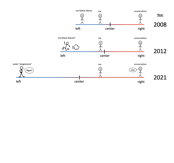
In practice, both types of outlines combine perfectly, and although in almost every case, a content outline is also a structure outline, it is helpful to use Scrivener and the Structure Outline for writing. I start with Circus Ponies Notebook to create the content outline, make sure I have all information available in it and the structure works (thread/story). Then I fire up Scrivener, use the Binder to create a structure outline (on a higher level, see image), put the Circus Ponies Notebook content outline next to the Scrivener file and start writing.

Circus Ponies Notebook excels when it comes to keeping the content available, giving me the source information (keywords), allowing me to fold in information that I do not need (e.g., level of detail is too high), and having cells with checkboxes, which allows me to easily stop and resume my work.

Scrivener excels in writing, especially making Snapshots of prior versions, giving me word counts, and quickly jumping between places in the document (via the Binder of Scrivener which only contains the higher level structure and the text files).

Docear — Literature Management and Writing with Mind Maps

Words – so innocent and powerless as they are, as standing in a dictionary, how potent for good and evil they become in the hands of one who knows how to combine them.
Nathaniel Hawthorne

Kurt wrote me a comment about docear, a software that integrates a PDF reader (with annotations) with a Mind Mapping tool. And the software really integrates them, like reading the annotations/highlights and making them available in the Mind Map. The following video gives a good introduction:

Whereas annotations and comments in PDFs are nothing special, I really love the way the highlighted sections and comments can be automatically extracted from the PDFs. This is something where many literature management tools are lacking: I can annotate or highlight in my PDFs, but I want more … I want the text available outside of the document. And looking from the video, docear can give you this. Likewise, using Mind Maps for writing is an interesting idea (cf. this posting about writing articles with Mind Maps).

However, I am not so sure whether the approach be docear does scale to literature management. A Mind Map is a hierarchical structure, and in many cases, one might want to put one paper in different sections or categories. One reason why I use DEVONthink and tags for my literature. Likewise I want to be flexible in the way I work and use Circus Ponies and Scrivener for writing. Also, I am unsure whether I would trust my literature to one software, also I expect that the PDFs are annotated in the files itself and can be exported — and thereby still be used without the program.

But it looks like an interesting idea if this is the way you want to work. If Mind Maps are your way to work, why not use a program that combines your literature management software and your Mind Map for writing in one package? However, what I can say about the software is limited, as I do not have the time for an in-depth testing at the moment. If I had, I’d make sure that my PDFs can be exported (with annotations/highlights) and use a naming scheme like author_year.pdf or author_author_…_year.pdf to make sure I can leave the software if I need to, then give it a try.

So, what are your experiences with it? Would you try docear?

Recommendation: How to Read a Book

Reading without reflecting is like eating without digesting.
Edmund Burke

I stumbled upon a short text by Paul N. Edwards (School of Information University of Michigan): How to Read a Book (v4.0). It’s a quick and interesting read, although (as the author stresses) the implementation of theses recommendations will take a while. It is also very interesting for people who want to design a good reader, for iPads, Kindle or — I don’t know, for a reference manager (like Papers that could really need a good reader, Sente that has some interesting features but could improve, etc.). Seriously, it gives you the requirements on a silver platter. :-)

BTW, read past the table, the detailed (but still pleasantly short) explanations are more comprehensible.

Highly Recommended — Edwards, P. N. (2008?). How to Read a Book.

What is good PhD advisory?

Keep away from people who try to belittle your ambitions. Small people always do that, but the really great make you feel that you, too, can become great.
Mark Twain

Looking back at the advice I did get, I didn’t get, I wish I had gotten, I think that a good adviser, when giving advise, looks at:

  • who the young scientist is (i.e., where she is in her career, what her attributes are, her character, strengths and weaknesses, etc.),
  • how the field is in the area this person wants to be successful in (i.e., the specific research community),
  • the possible advantages and (more relevant) the problems this specific young scientist will have if she wants to be successful in this specific field,
  • (ideally) possible ways to improve the persons chances, e.g., strengthen the positive aspects and overcome the problems, and
  • a way to convey valuable feedback to the young scientist in a way that the young scientist can accept this feedback.

Personally, Andy van Dam, who was the mentor of Randy Pausch exemplifies this kind of mentorship for me. He said (as quoted in the wonderful book: “Really Achieving Your Childhood Dreams” by Randy Pausch):

“Randy, it’s such a shame that people perceive you as being so arrogant, because it’s going to limit what you’re going to be able to accomplish in life.”
Andy van Dam to Randy Pausch

Randy Pausch commented this feedback as perfectly worded, because he did not say: “Randy, you’re being a jerk.”, but he identified the core problem of the person in the field he wanted to work in, and he conveyed the message in a way his student could accept.

This kind of advice is very, very rare in my opinion, and after having taught students for a few semesters and some student assistants, also very, very hard. But it is also very, very important if you want to improve yourself.

Note: This posting replaces a previous one, in which I essentially said the same thing, but which was also very emotional and angry. Looking back, I can see why I wrote it is that tone, and seeing it now I can see that it does not fit to person who I like to be(come).

This is not a game for me

“Son, where did you go to school? If I were you, I’d write them and get my fucking money back.”
Dimitri “Jimmie” Viner, in discussions with his flight test engineers

A while ago I had an interesting conversation with a young woman who works as musician for the US military. We found some interesting connections between science and music, but what really struck me was how she got a music teacher fired for not helping her to become better.

Yup — and she was right.

When she found out that the high-credentials teacher who was giving the course for aspiring professional musicians could or would not give her more help than just some standard stuff you could say to every interpretation of the music piece, she first tired to find better teachers outside of the music school. When this failed, because the school did not want to cover the expenses, she switched to a course that was done by a young teacher. This teacher was not as experienced, did not have all those credentials the other teacher had, and she usually taught the students who did not want to become professionals, but her feedback was much more valuable than that of the high-credentials teacher.

Now, when a really good musician changes courses to an apparently inferior teacher this starts a lot of talk, and by the start of the next semester, all the students of the high-credentials teacher wanted to switch to the young teacher. The school was forced to draw lots who might actually make the switch. After that semester, the high credentials teacher took a sabbatical.

While it may sound harsh and brutal to get a teacher fired this way, it was the best choice. Like she said: “This is not a game for me” — it was about preparing her for the future, allowing her to be successful as a musician. A teacher who gives only the same standard advice for all students, who does not allow her to become better, should not be tolerated.

It was the right decision and I wish more people would act the same.

Poster: How to Organize Your Creativity?

I have translated the poster I did for the MinD-Akademie 2011 in English. I love it — it shows on one (very large) page the whole concept that I try to convey with “Organizing Creativity”. If you prefer it in German find the German version here.

I will probably do a similar version for the second version of the Organizing Creativity Book (still working on it) and use it as navigation help for the Organizing Creativity Wiki (likewise still working on it). But until both are ready, have fun with this poster (note: due to the size — DIN A0 — it is about 7 MB).

oc-poster-englishThe poster shows the different steps that are necessary in organizing creativity. While the process goes top down (yellow arrow in the horizontal center), each step is also another occupation with the topic (yellow arrows upwards to occupation with the topic), which leads to further ideas. I have left the footer for the moment — in case you are wondering it translates as “MinD-Academy 2011 — Future and Research”.

The Future of Your Research: How to organize (a) scientific work?

To put it differently: You are highly qualified people who should not be wasted in the wrong job. You are ambitious, in the sense that you want to accomplish something, be advanced, move forward. Choose the right environment if you can. PhD positions are qualification positions — it is not sufficient that you do your work well, the work must also allow you to move forward and improve/qualify yourself.
Presenter Note from “The Future of Your Research — How to organize a scientific work?”

I’ve finally translated the presentation I did at the MinD-Akademie 2011 regarding “The Future of Your Research — How to organize a scientific work?”. The slides include the presenter notes, which in turn include the script. It’s not my best translation work, so don’t be surprise to see a lot of “broken English” — but at least it’s readable, I think.

Note that due to copyright constraints, I cannot show the pictures I did show in the presentation. I have replaced these images with grayed out placeholders and an image description in square brackets.

mind-akademie-2011-english-grayed-out-picturesClick on the slides to see the presentation as PDF (about 5 MB).

If you have further points that should be included in a presentation like this, I’d appreciate a comment. :-) The recommended literature is also shown here as a separate posting.

Presentation: How to Organize a Scientific Work [German]

Kurz gesagt: Ihr seid hochqualifizierte Leute, die man nicht auf der falschen Stelle verschwenden sollte. Ihr seid ehrgeizig, im Sinne von ihr wollt etwas erreichen, gefördert werden, weiter kommen. Sucht euch das passende Umfeld genau aus wenn ihr könnt. Promotionsstellen sind Qualifikationsstellen — es reicht nicht, dass ihr die Arbeit für die Stelle gut macht, die Arbeit auf der Stelle muss euch weiterbringen und euch selbst weiter qualifizieren.
Vortragsnotiz aus “Die Zukunft deiner Forschung — Wie organisiert man eine wissenschaftliche Arbeit?”

Note: The following presentation (PDF with Notes, which contains the script) is about ways to organize a scientific work. I did this presentation at the MinD-Akademie 2011 in Hannover and thus it is in German. It was my best presentation ever. Loved the audience :-) . Regarding an English version, I’ll be doing a translation soon. [Update: Translation is online in this posting.]

mind-akademie-2011-vortrag-graubilder-mit-skript-cover-2Auf das Bild klicken um die PDF angezeigt zu bekommen (ca. 5 MB). Ein Teil der Bilder in der Präsentation sind ausgegraut, weil ich leider nicht das Copyright für diese Bilder besitze. Das mindert die Qualität der Präsentation, auch wenn sie nur zur Illustration eingesetzt wurden. Auf der anderen Seite sind alle wichtigen Informationen in den Notizen vorhanden. Das Design der Folien beruht zum einen auf ein Template von Apple’s Keynote (Cover), wobei die Seiten von den Aperture/iPhoto Photobüchern inspiriert sind. Die Angaben zur empfohlenen Literatur ist hier als eigener Eintrag verfügbar.

Literature List: How to organize a scientific work

“I took a speed reading course and 
read ‘War and Peace’ in twenty minutes.
It involves Russia.”
Woody Allen

Last weekend, I did a presentation for the MinD-Akademie in Germany with the topic: “The Future of Your Research — How to organize a scientific work?”. It was a lot of fun creating the presentation and even more fun holding it (great audience :-) ). Over the next few days I’m going to put the material online here (presentation slides translated in English). As this takes a while, here the cited literature:

Science in General and Advisers/Colleagues

  • Cham’s “PhD Comics”: http://www.phdcomics.com/comics.php
    I could have done the whole presentation with PhD Comics, but no one would have believed that they actually describe “real” situations (“real” because it’s a little over the top, but always with a nugget of gold). Great to get a humorous view on academia.
  • Sternberg’s “Psychology 101½”: Sternberg, R. J. (2003). Psychology 101 1/2 The Unspoken Rules for Success in Academia. Washington, DC: APA.
    A very good book by a distinguished professor about life in academia. While written with psychology in mind (he is psychologist), some aspects can probably be applied to other domains.
  • Pausch’s “Last Lecture”
(Video & Book): Pausch, R. (2008). Really Achieving Your Childhood Dreams. New York: Hyperion. [Video here on YouTube]
    A brilliant presentation about a person’s life in academia (and in general) — it shows what you can accomplish and what is needed. For all who think that a job in academia is more than just making money to life by (badly in many cases).
  • Schwartz’s “The importance of stupidity in scientific research”: Schwartz, M. A. (2008). The importance of stupidity in scientific research. Journal of Cell Science, 121, 1771. Available at http://jcs.biologists.org/cgi/content/full/121/11/1771
    A one page article about the necessity of feeling stupid while doing research. Should be required reading by every PhD student just to get the “but I did study it, why don’t I know the answer in advance” out of one’s mind.
  • Patterson’s “Your Students Are Your Legacy”: Patterson, D. A. (2009). Your Students Are Your Legacy. Communications of the ACM, 32(3), 30-33. doi:10.1145/1467247.1467259
    A brilliant argument for good advisory — and what makes good advisory. Should be required reading for everyone who advises students.
  • Schmidt & Richter’s Artikel von 2008 und 2009: Schmidt, B., & Richter, A. (2008). Unterstützender Mentor oder abwesender Aufgabenverteiler? – Eine qualitative Interviewstudie zum Führungshandeln von Professorinnen und Professoren aus der Sicht von Promovierenden. Beiträge zur Hochschulforschung, 30(4), 34-58. und Schmidt, B., & Richter, A. (2009). Zwischen Laissez-Faire, Autokratie und Kooperation: Führungsstile von Professorinnen und Professoren. Beiträge zur Hochschulforschung, 31(4), 8-35.
    Both articles are in German but they are very interesting — more information on them in a posting about them.

Finding a Topic and Planning the Research

  • Perry’s Criteria for a good dissertation topic: Perry, C. (1998). A structured approach to presenting theses. Available online at http://www.scu.edu.au/schools/gcm/ar/art/cperry.html
    An excellent text about doing a thesis with some very good points on selecting the right topic.
  • Booth, Colomb, & Williams’ “The Craft of Research”: Booth, W. C., Colomb, G. G., & Williams, J. M. (2003). The Craft of Research. (Second Edition). Chicago: The University of Chicago Press.
    More on the basics of what research is and how to do it — applicable for many domains.
  • Ullman’s “Advising Students for Success”: Ullman, J. D. (2009). Advising Students for Success. Communications of the ACM, 52(3), 34-37.
    Another great text about advisory — with more focus on choosing a relevant topic.

Managing Literature

Capturing and Managing Ideas and Data

Preparing Studies and Analyzing the Data

  • Field’s “Discovering Statistics Using SPSS”: Field, A. (2005). Discovering Statistics Using SPSS (2nd Edition). London: Sage.
    My statistics book was the Bortz (German book) — which was … not that suited to learn what statistics is about and why it is interesting and useful. Field manages to do both en passant — a very well written book and highly recommended.
  • Pallant’s “SPSS Survival Manual”: Pallant, J. (2007). SPSS Survival Manual. McGraw-Hill, Open University Press.
    Everything you need to know to do the standard tests in statistics for psychologists. Looks cheap but is the best practical handbook I know. Very, very useful.
  • Goodwin’s “Research in Psychology”: Goodwin, C. J. (2009). Research in Psychology. Methods and Design. New York: Wiley.
    Good basic text about research.
  • Wright’s “Making friends with your data”: Wright, D. B. (2003). Making friends with your data: Improving how statistics are conducted and reported. British Journal of Educational Psychology, 73, 123-136.
    Something every researcher should know — very interesting text.
  • example for a “strange” but very valuable source: Froman, R. D. (2001). Elements to Consider in Planning the Use of Factor Analysis. Southern Online Journal of Nursing Research, 2(5). Retrieved January 9, 2009, from http://www.snrs.org/ publications/SOJNR_articles/iss05vol02.pdf.

Writing

  • Silvia’s “How to Write a Lot”: Silvia, P. J. (2007). How to Write a Lot. Washington D.C.: APA.
    Read this to avoid delaying your writing. A brilliant text that smashes the typical excuses of why not to write and gives very useful hints to write.
  • Alley’s “The Craft of Scientific Writing”: Alley, M. (1996). The Craft of Scientific Writing (3rd Edition). New York: Springer.
    The best text I know of regarding the criteria for scientific writing and a very convincing text that technical writing (e.g., all research papers) is craft, not art, i.e., you need to get your facts straight, not divine inspiration.
  • Bem’s “Writing the Empirical Journal Article”: Bem, D. J. (1987). Writing the empirical journal article. In M. P. Zanna & J. M. Darley (Eds.), The compleat academic: A practical guide for the beginning social scientist (pp. 171-201). New York: Random House.
    Can be found online in a different version (which I did read). The standard text for psychologists working in research.
  • Yaffe’s “How to Generate Reader Interest in What You Write”: Yaffe, P. (2009). How to Generate Reader Interest in What You Write. ACM Ubiquity, 10(7).
    An interesting text to capture the reader.
  • Lamott’s “bird by bird”: Lamott, A. (1994). bird by bird. New York: Anchor Books.
    A very good book about (fictional) writing, but with helpful hints for academic/technical writing as well — esp. to write a “shitty first draft”, you can always improve it later.
  • Academic Phrasebank: http://www.phrasebank.manchester.ac.uk
    If reading articles does not give you the necessary vocabulary or you struggle with the right phrases, this site will help.

Reviews

  • Trafimow & Rice: Trafimow, D., & Rice, S. (2009). What If Social Scientists Had Reviewed Great Scientific Works of the Past? Perspectives on Psychological Science, 4(1), 65-78. DOI: 10.1111/j.1745-6924.2009.01107.x
    A brilliant article about how tough and irrational the peer review process is in the social sciences. More in this posting or look directly in the article — very humorous and highly recommended.

Presentations

  • Reynolds’ “Presentation Zen” & “The naked presenter”: Reynolds, G. (2008). Presentation Zen: Simple Ideas on Presentation Design and Delivery. Berkeley, CA: New Riders. and Reynolds, G. (2011). The naked presenter. Delivering Powerful Presentations With or Without Slides. Berkeley, CA: New Riders.
    Brilliant books to avoid death by PowerPoint.
  • TED talks: http://www.ted.com
    Great for inspiration — many of the speakers can convey not only their message/the facts but also why they love this topic.

Sente — Reference Manager for Mac and iPad

“If I had thought about it, I wouldn’t have done the experiment. The literature was full of examples that said you can’t do this.”
Spencer Silver on the work that led to the unique adhesives for 3-M “Post-It” Notepads.

I’m currently looking at Sente, as it is supposed to work well with DEVONthink. I don’t think that I will change my literature management from DEVONthink to Sente, but there are a couple of features that look really nice and much better solved than in other programs or reference managers:

Quicktags

Tagging is highly important when you have a couple of thousand references (which you will have very quickly), but it is often poorly supported. Sente not only offers auto-completion and has a text field large enough to enter tags, it also offers a Quicktags window where you can hierarchically sort the tags and assign them with a single click. Best thing is that the parent tags are implicitly assigned to the references as well, not as ‘real’ tags, but as implied tags.

quicktags

QuickTags
The image is a screenshot from the Sente Instruction Video from the website.

Note Taking worth talking about

I don’t understand why most reference manager offer poor note-taking capabilities. Often it’s only a text field, that’s it. Sente offers the first clever way of taking notes. You highlight text and click on a button and it creates a note with title (automatically from the first few words, you can change them), page number, quotation, and your own thoughts. I still have to find out whether you can export these notes, but the way it is done is perfect. Just what you need.

notetaking

Notetaking
The image is a screenshot from the Sente Instruction Video from the website.

Quick Conclusion

From first glance Sente looks like a Reference Manager where the programmers actually thought about it and offered ways to deal with literature that make sense. Still, it’s unlikely that I switch my literature to Sente, as I am quite happy with DEVONthink. But if you are looking for a powerful literature manager for Mac (and iPad!) have a look at Sente.